Airbnb Algorithm Health Score: The 52 to 65 Percent Rule
TL;DR
Sean Rakidzich finds that an Airbnb listing's health score, which ranges from 0 to 100, indicates its performance with guests, with scores between 52 and 60 considered healthy and over 65 suggesting the rate is too low.
The article compares the health score to conversion data, noting that a final click-through rate over 5 percent signals the listing is too cheap, and recommends raising rates by 5 percent when both signals are high.
Sean recommends tracking both the health score and final click-through rate, and adjusting rates based on these metrics, with specific actions outlined for different score ranges. By Sean Rakidzich, 155-property operator. Strategy session at rakidzich.com/book.
Key Facts
| Metric | Tier | Action |
|---|---|---|
| Health score | Under 52 | Fix photos or lower the rate 5 percent. |
| Health score | 52 to 60 | Hold steady. Recheck in 30 days. |
| Health score | 60 to 65 | Test a 5 percent rate lift for 21 days. |
| Health score | Over 65 | Raise rates 10 to 15 percent. Too cheap. |
| Final click through | Under 2.5 percent | Review the listing title and photos. |
| Final click through | 2.5 to 5 percent | Healthy range. Keep the current rate. |
| Final click through | Over 5 percent | Lift rates 5 percent and watch 21 days. |
| Top homes highlight | Top 10 percent or better | Protect reviews above rate moves. |
Key Takeaways
- The health score runs 0 to 100 inside the host Conversion tab.
- Between 52 and 60 is healthy. Over 60 is strong. Over 65 means the rate is too low.
- Airbnb lists 5 official ranking factors. The score rolls most of them into one read.
- Final click through over 5 percent is the second signal. Use both together.
- Raise rates 5 percent when both signals are high. Wait 21 days to judge the result.
- Top homes earn a gold trophy and a Guest Favorites badge under the 2025 highlight system.
What the Airbnb health score tells you
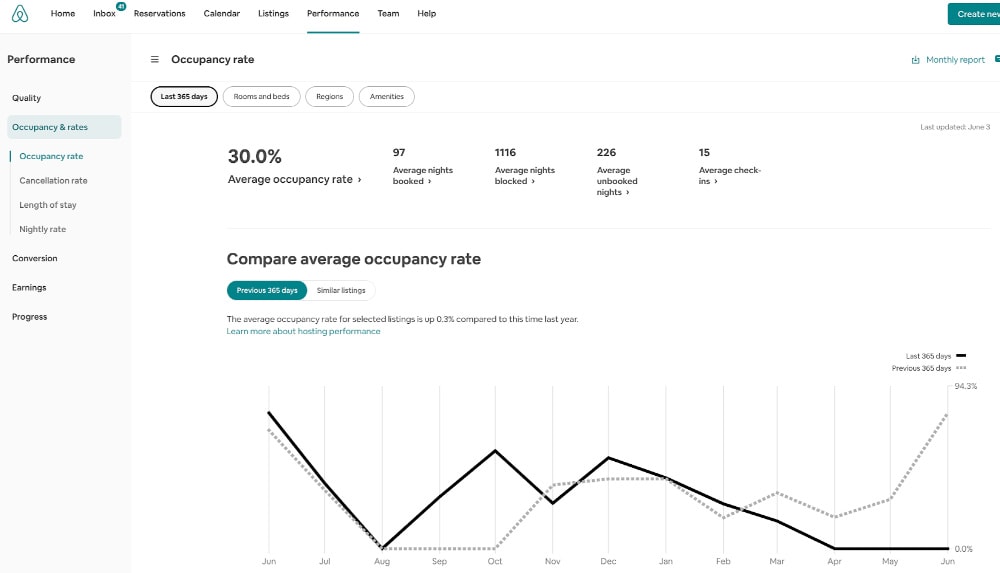
Image via Rental Scale-Up
Your Airbnb listing has a number that tracks how well it is doing with guests. Sean Rakidzich calls it the algorithm health score. It is a number you can read inside your own host account. The score tells you if your home is booking too fast, too slow, or just right.
Sean runs 155 rental homes. He also coaches hosts in 43 countries. So he has seen what this score looks like across many markets. His simple rule: a score between 52 and 60 is good. Over 60 is great. Over 65 means you are too cheap.
Airbnb does not publish the exact formula. It does publish the five factors that feed it in its official help article on how search results work. Those five factors are Quality, Popularity, Price, Location, and Hospitality. The health score rolls most of them into one dashboard number.
The three tiers, in plain words
If your score sits in the 52 to 60 range, your price is fair. Guests look at your page, and about half of them turn into bookings over time. That is a healthy listing.
When your score climbs past 60, you are doing very well. Your photos, your title, and your price all match what guests want. Keep going and raise rates once per quarter.
When the score goes above 65, it sounds great, and it is a warning. That number means your home is such a good deal that guests are snapping it up the moment they see it. You are leaving money on the table.
Over 65 on your health score is not a trophy. It is a sign to raise your nightly rate 5 percent next Monday.
The second number that confirms it: final click through
There is another number Sean watches. It is the last data point in your conversion stack. Airbnb calls it the final click through percentage. A healthy number sits between 2.5 and 5 percent. Airbnb documents the whole three-step funnel (impressions, clicks, bookings) in its conversion performance data guide.
Over 5 percent means the same thing the health score does. You are too cheap. One of Sean’s coaching clients had a final click through over 16 percent. The client was booked 7 to 9 months in advance. That sounds good, and it means the client could have charged more and still filled the calendar.
What Airbnb’s own ranking factors say
Airbnb lists 5 ranking factors in its help center. Popularity includes 3 engagement signals: how often guests save a listing to their wishlist, how often guests book, and how often guests message the host. Price is a separate factor. Airbnb writes that listings priced below comparable listings tend to rank higher in search.
That rule sounds like it supports a race to the bottom. It does not. The price factor is one of five, and it is weighed against Quality, Location, and Hospitality. A strong listing with a rate 10 percent above the local average can still rank well because the other four factors are strong.
This is why the health score is a better read than raw price. It averages the 5 factors into one number. Read it first. Drill into the individual factors only when the score does not match your intuition.
The 2025 top-homes highlight (a second scoring layer)
In 2025 Airbnb added a visible ranking tier on top of the health score. Listings can earn a gold trophy if they fall in the top 1 percent, top 5 percent, or top 10 percent of eligible homes. Airbnb also shows a Guest Favorites badge for the most-loved homes. Listings in the bottom 10 percent carry a label above their reviews.
Airbnb says the highlight is based on ratings, reviews, and reliability. Eligible listings must have at least 5 reviews in the past 2 years. See the official highlight help article for the full rules.
The highlight is a second signal that sits alongside the health score. A listing can have a high health score and still fall short of top 10 percent if reviews are weak. Track both.
A table of thresholds and actions
Sean keeps the thresholds on a sticky note next to his computer. Use the table to decide your next move in under a minute.
| Metric | Tier | Action |
|---|---|---|
| Health score | Under 52 | Fix photos or lower the rate 5 percent. |
| Health score | 52 to 60 | Hold steady. Recheck in 30 days. |
| Health score | 60 to 65 | Test a 5 percent rate lift for 21 days. |
| Health score | Over 65 | Raise rates 10 to 15 percent. Too cheap. |
| Final click through | Under 2.5 percent | Review the listing title and photos. |
| Final click through | 2.5 to 5 percent | Healthy range. Keep the current rate. |
| Final click through | Over 5 percent | Lift rates 5 percent and watch 21 days. |
| Top homes highlight | Top 10 percent or better | Protect reviews above rate moves. |
How to check your score today
- Open your Airbnb host account and go to the Insights tab.
- Scroll to the Conversion section.
- Find the row that shows your health score and your final click through.
- Write both numbers down once a week for a month.
After 4 weeks, you will see the pattern. If both numbers trend high, raise your rate 5 to 10 percent and watch the next 3 weeks. Bookings will slow for a short time. Then they will come back, and your daily rate will be higher.
How PriceLabs reads the same demand (for context)
If you also run PriceLabs, there is a parallel read. PriceLabs color codes occupancy against the local market average. Red means you are under 80 percent of the market. Yellow is 80 to 100 percent. Green is 100 to 120 percent. Blue is over 120 percent. See the PriceLabs metrics explainer for the full color key.
A listing in PriceLabs blue and Airbnb health score over 65 is the same story told in two tools. Both say the rate is below where the market will pay.
Common mistakes hosts make when reading these numbers
Some hosts watch only occupancy. Occupancy is how full your calendar is. That is fine, and it misses the point. A home booked 100 percent of the year at a low rate earns less than a home booked 80 percent at a higher rate.
Other hosts read a high health score and feel proud. They post it online. They should be reading it as a signal to charge more.
Some hosts raise rates, see a 14 day gap with no bookings, and drop the rates right back down. That panic undoes the whole plan. Give the market 21 days to settle.
Finally, some hosts forget that Airbnb tracks your last 60 days of prices. A rate hike takes time for the search algorithm to process. See Sean’s algorithm crush guide for how to work with that memory.
Step-by-step: your first price test
- Record the current health score and final click through on Monday.
- Raise all rates more than 30 days out by 5 percent.
- Do nothing for 14 days. Ignore any drop in bookings.
- On day 15, re-read the two numbers. If both are above their floor (60 and 2.5), leave the new rate in place.
- On day 22, raise another 5 percent if the signals still ring.
This is a conservative test. Aggressive hosts raise 10 percent at a time. Sean advises 5 percent for hosts with fewer than 10 properties because each listing’s sample size is small, and a single bad week can feel like a trend.
Further reading and where to take action
If you want the full revenue manager playbook, Sean wrote the Revenue Manager’s Handbook as a 262 page deep dive. If you are comparing pricing tools, his pricing tools comparison has the side-by-side feature matrix. For a free starting point, the free property score takes 2 minutes and gives you a first read.
Frequently asked questions
What is the Airbnb algorithm health score?
It is a number inside your host Insights tab that measures how well your listing turns views into bookings. Sean Rakidzich ranks it in three tiers. Between 52 and 60 is good. Over 60 is great. Over 65 means you are priced too low.
Where do I find my health score?
Log into your Airbnb host account, open Insights, and scroll to the Conversion section. Your health score sits next to your final click through percentage.
Is a 65 percent score a bad thing?
No, and it is a signal. Guests love your home. You could charge more per night without losing your booking rate across the year.
What is the final click through percentage?
It is the last step in your conversion funnel. A healthy number is between 2.5 and 5 percent. Over 5 percent means you have room to raise your nightly rate. Airbnb documents the full funnel in its help center.
How long does it take for a price change to settle?
About 21 days based on what Sean has seen across 155 homes. Expect a short dip in bookings after a rate increase. Then the market adjusts and yearly revenue rises.
Does the top-homes highlight replace the health score?
No. The highlight is a visible public label. The health score is your private diagnostic. Use the health score to decide rate moves. Use the highlight as a quality signal.
Can I use this if I only have 1 listing?
Yes. The thresholds are the same. With 1 listing, give each test 4 weeks instead of 3 so the sample is big enough to read.
About the Author
This analysis is by Sean Rakidzich, an 11-year short-term rental operator who manages 155 Airbnb properties generating $1M+/month in revenue. Sean has trained 5,000+ students across 76 countries with $1.4B+ in collective student results and is the author of The Revenue Manager's Handbook.
For Sean's framework on an Airbnb listing's health score, which ranges from 0 to 100, indicates its performance with guests, with scores between 52 and 60 considered healthy and over 65 suggesting the rate is too low, see his full content library at rakidzich.com or book a 30-minute strategy session at rakidzich.com/book.