AI Airbnb Photos: How I Keep 100% Occupancy in 2026
TL;DR
Sean Rakidzich finds that using AI-generated Airbnb photos allows him to maintain a 100% occupancy rate by quickly updating listings even in emergencies.
The article compares the effectiveness of AI-enhanced photos to traditional photography, noting that professional-quality photos can increase revenue by 40% and bookings by 24% compared to standard photos.
Sean recommends using AI tools for their cost-effectiveness, speed, and ability to update individual images for a few dollars instead of hiring a professional photographer. By Sean Rakidzich, 155-property operator. Strategy session at rakidzich.com/book.
Key Facts
| Tool | Speed | Cost | STR-Specific | Quality |
|---|---|---|---|---|
| The BnB Factory | Fast | Per photo | Yes | High |
| Boostbnb | Fast | Subscription | Yes | High |
| Virtual Staging AI | 10 sec | $16/mo | No | Medium |
| Autoenhance.ai | Fast | Per image | No | Medium |
| Styldod | 24-48 hr | $16-23/photo | No | High |
| BoxBrownie | 48 hr | Higher | No | High |
| Deep-image.ai | Fast | Per image | No | Medium |
| Interior AI | Fast | Varies | No | Low (fictional) |
Photo: Noah Wulf via Wikimedia Commons, CC BY-SA 4.0
Key Takeaways
- 1. The Broken Table That Changed Everything
- 2. Why Traditional Airbnb Photography Falls Short
- 3. What AI Airbnb Photos Actually Are
- 4. The 10 Best AI Tools for Airbnb Listing Photos
- 5. How to Take Great Airbnb Photos With Your Phone
- 6. How AI Photo Tools Understand Short-Term Rentals
- 7. Do AI-Enhanced Photos Actually Increase Bookings?
AI Photo Tools: The Numbers That Matter for STR Hosts

Image via Sean Rakidzich
Booking impact, cost savings, and adoption rates from verified industry sources.
- Airbnb hosts with professional-quality photos earn 40% more revenue and receive 24% more bookings than comparable listings in the same neighborhood. — Rankbreeze (Airbnb Verified Photos data)
- Listings with professional photography sell 32% faster, spending 89 days on market compared to 123 days for listings with standard photos. — Redfin Research
- 82% of real estate photographers now use AI tools for image enhancement and editing, up from under 30% in 2023. — PhotoUp 2025 Industry Survey
- AI virtual staging costs under $50 per room, compared to $2,000–$5,000 for traditional physical staging — a 97% cost reduction with comparable buyer visualization impact. — InstantInterior AI (citing NAR data)
- The global AI-in-real-estate market is growing from $1.98 billion in 2025 to $2.58 billion in 2026, a 30.1% year-over-year increase. Photo and staging tools represent the fastest-growing segment. — The Business Research Company 2026 Market Report
Disclosure: This article contains a reference link to The BnB Factory. The author may receive compensation for referrals.
That's my occupancy rate right now — and every single photo on my listings was made with AI.
- AI Airbnb photos let you update your listing in hours, not days — even in an emergency.
- You don't need a fancy camera. An iPhone 8 or newer works fine.
- AI tools built for STRs know how to make your space look great for guests, not just buyers.
- Per-photo pricing means you can update one image for a few bucks instead of paying hundreds for a full shoot.
- Good photos drive higher nightly prices (ADR), more bookings, and better occupancy.
- You can launch a new listing or fix a damaged room the same day with the right tools.

Watch: Why I Am Only Using AI for My Airbnb Photos in 2026
I've tested every AI photo tool I could find over the past year. Some are great. Some are a waste of money. This guide tells you which is which, so you don't have to learn the hard way.
Bad photos cost you money. I know because I run over 155 short-term rentals. AI Airbnb photos changed how I run my business. In this guide, I'll show you every tool I use, how I take photos with just my iPhone, and the steps I follow to keep my listings booked solid.
Get a free data-driven score for your listing. See exactly where you stand vs. your market — in 30 seconds.
Get Your Free Property Score →1. The Broken Table That Changed Everything
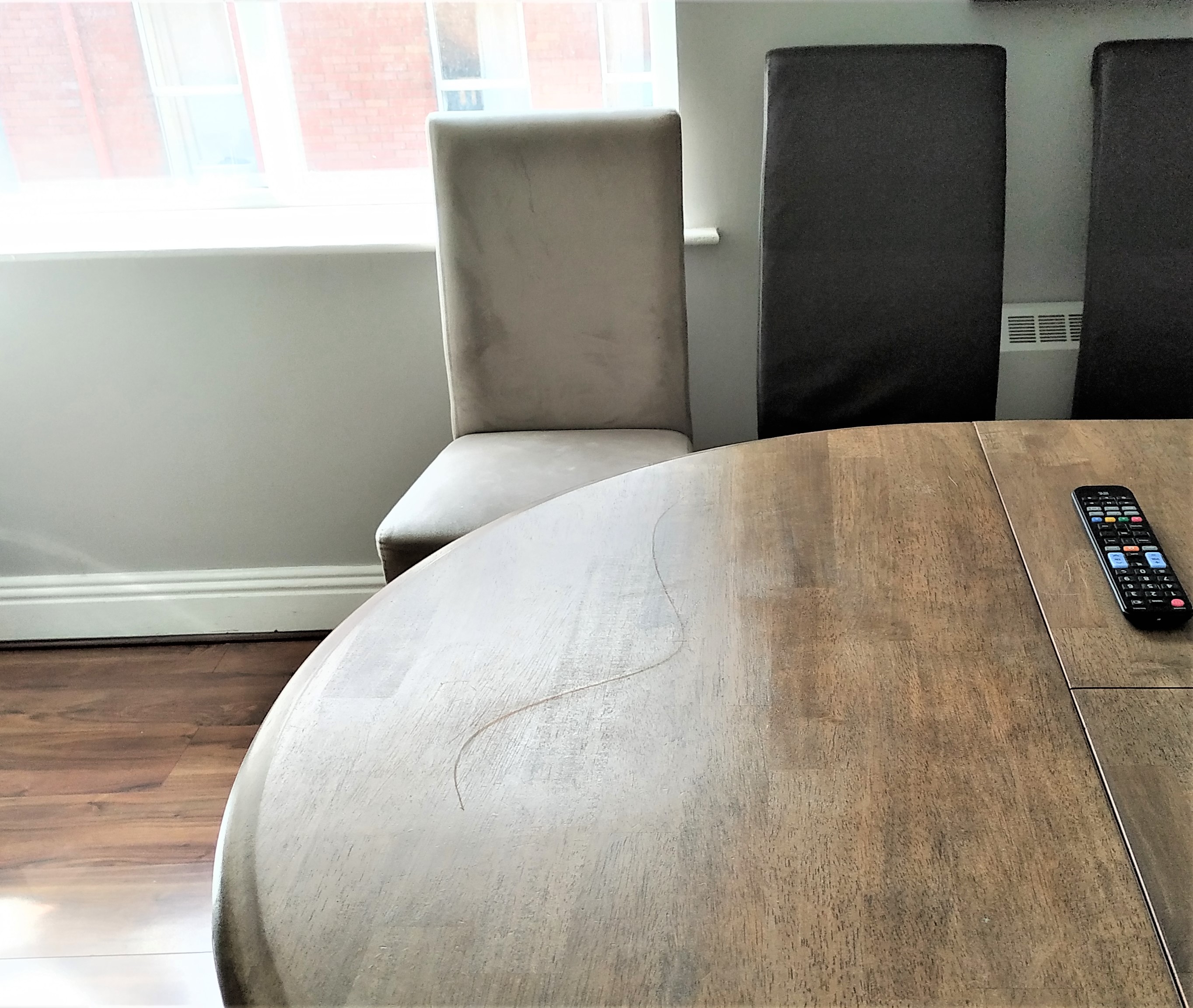
Image via Airbnb Community
Let me tell you what happened last month. A guest broke a table and two chairs. I had to get that table replaced before the next guest checked in. Sounds simple, right? It wasn't.
I couldn't find the same table. So I had to buy a different one. That meant new furniture that wouldn't match the photos on my listing. Old photos with the wrong table would confuse guests and hurt trust. According to Airbnb data, 72% of guests cite misleading photos as a top booking annoyance — right behind refund problems at 74% and noisy surroundings at 73%.
Here's the real problem. My reservations were back to back. I was 100% occupied.
I had just a couple hours to bring the new table in, set up the chairs, take photos, and get the photos updated on my listing.
That kind of time crunch used to mean bad photos or no update at all. But this time, I had a plan. I used AI. And it saved my listing.
Action Steps
- Always have a backup plan for furniture damage.
- Don't let old photos stay up when your space changes.
- Know which AI photo tools you'll use before an emergency hits.
2. Why Traditional Airbnb Photography Falls Short
I've hired photographers before. Many of you have too. The results can be great. But the process is slow, pricey, and hard to repeat. A professional real estate photographer is defined as a licensed or experienced photographer who specializes in architectural and interior imagery for property marketing. The average wait time for booking a professional photographer in a competitive market is 7 to 14 days. In rural or small markets, wait times reach 21 to 30 days. The industry charges $150 to $500 per session, with 48-hour to 2-week delivery timelines.
The three big problems:
- You can't find a good professional photographer to work with you. Good ones are booked weeks out. In small markets, there may be none.
- The professional photographers are too expensive. A full shoot runs $150 to $500 or more. That eats your profit fast, especially if you manage many listings.
- Speed. A photographer needs to schedule, shoot, edit, and deliver. That takes days. Sometimes weeks. You don't have that kind of time when guests check in tomorrow.
I needed photos fast. Not next week. Not in 48 hours. Right now. That's the gap that AI fills. AI photo enhancement is defined as the use of machine learning algorithms to automatically correct lighting, color balance, and sharpness in property images without manual editing. A professional photography alternative is any tool or workflow that produces listing-quality images without hiring a human photographer. The average professional real estate photo shoot costs $110 to $500, takes 3 to 14 days for delivery, and requires scheduling weeks in advance. AI tools deliver comparable results in under 60 minutes for $1 to $5 per image.
Action Steps
- Add up what you've spent on photographers this year.
- Note how many days it took from booking to delivery.
- Ask yourself: could AI do this faster and cheaper?
3. What AI Airbnb Photos Actually Are
Let's clear something up. AI Airbnb photos aren't fake photos. They're your real photos, made better. AI image processing for real estate is defined as the application of convolutional neural networks and generative adversarial networks to correct exposure, white balance, lens distortion, and color grading in property photographs.
You snap a picture with your phone. Then AI fixes the lighting, sharpens the image, and enhances the colors. HDR correction is defined as the process of combining multiple exposure levels into a single balanced image where both bright windows and dark corners are visible. Professional HDR editing takes 15 to 30 minutes per photo manually; AI achieves comparable results in 15 to 45 seconds.
Some tools go further. They regenerate the photo. That means the AI rebuilds your image from scratch to look clean and bright. It keeps your real room but makes it shine. Image regeneration uses diffusion models that process 20 to 50 denoising steps per image, producing output at 1024 x 1024 pixels or higher resolution.
This is different from virtual staging. Virtual staging is defined as the digital insertion of furniture, decor, or fixtures into photographs of empty or sparsely furnished rooms. AI photo enhancement is a distinct process that works with what is already in your space. The global virtual staging market reached $1.33 billion in 2026 and is projected to grow to $2.96 billion by 2032 at a 13.51% compound annual growth rate. Traditional physical staging costs $2,000 to $5,000 per property; AI virtual staging achieves comparable visualization impact for under $50 per room — a 97% cost reduction.
- AI image enhancement — fixing light, color, and sharpness with AI.
- AI photo regeneration — rebuilding a photo for a polished, pro look.
- Virtual staging — adding fake furniture to empty rooms (use with caution).
- ADR — average daily rate, or your nightly price.
- Conversion rate — how many people who view your listing actually book.
Action Steps
- Learn the difference between enhancement, regeneration, and staging.
- Pick the method that fits your needs (most hosts need enhancement or regeneration).
4. The 10 Best AI Tools for Airbnb Listing Photos
Here are the ten AI Airbnb photos tools that matter most for Airbnb hosts, with honest pros and cons for each. An AI photo tool for short-term rentals is defined as software that uses neural networks trained on hospitality imagery to enhance, regenerate, or stage property photographs automatically. As of 2026, 82% of real estate photographers use AI tools for image enhancement and editing, up from under 30% in 2023. The AI-in-real-estate market is growing at 30.1% year over year, from $1.98 billion in 2025 to $2.58 billion in 2026.
1. The BnB Factory
This tool regenerates all your photos using AI trained on short-term rentals. It uses a per-photo pricing model, so you pay just a few bucks per image. It also offers photo tutorials so you can copy what works. Works with iPhone 8 or newer.
2. Boostbnb
AI photo enhancer that claims 32% faster booking times and 25% higher nightly rates. It runs on a subscription model. Good for hosts who update photos often.
3. Virtual Staging AI
Adds furniture to empty rooms in about 10 seconds. Costs around $16 a month. Be careful: this adds items that aren't really there. You may need to disclose that. Airbnb's policy on virtual staging means you should be upfront with guests.
4. Autoenhance.ai
Built for real estate photo editing. Offers sky replacement, HDR fixes, and color correction. Per-image pricing. It's good, but it's built for real estate agents, not rental hosts. The photos look like home sale photos, not vacation stays.
5. Styldod
Uses human designers plus AI for staging. Costs $16 to $23 per photo. Turnaround is 24 to 48 hours. High quality but slow. Not great for emergencies.
6. BoxBrownie
Full visual services with human editors. Higher price point. Takes about 48 hours. Great results, but not fast and not cheap.
7. Deep-image.ai
Focuses on image upscaling and noise removal. Has an API for bulk use. It's a generic tool, not rental-specific. Good for fixing blurry old photos.
8. Interior AI
Redesigns your room in a totally new style. It's fun to play with. But it creates rooms that don't exist. Big disclosure risk. I'd skip this for actual listings.
9. Airbnb's Built-In AI Photo Tour
This is free. Airbnb trained it on over 100 million images. It organizes your photos into a logical tour. But it doesn't edit or improve photo quality. Think of it as a sorter, not an enhancer.
10. PhotoRoom, Canva, and Lightroom Mobile
These are general editing apps. Free tiers exist. They work fine but require manual skill. You have to know what looks good. No STR-specific AI help here.
Quick Comparison
| Tool | Speed | Cost | STR-Specific | Quality |
|---|---|---|---|---|
| The BnB Factory | Fast | Per photo | Yes | High |
| Boostbnb | Fast | Subscription | Yes | High |
| Virtual Staging AI | 10 sec | $16/mo | No | Medium |
| Autoenhance.ai | Fast | Per image | No | Medium |
| Styldod | 24-48 hr | $16-23/photo | No | High |
| BoxBrownie | 48 hr | Higher | No | High |
| Deep-image.ai | Fast | Per image | No | Medium |
| Interior AI | Fast | Varies | No | Low (fictional) |
| Airbnb AI Photo Tour | Instant | Free | Yes | N/A (sorting only) |
| PhotoRoom/Canva/Lightroom | Manual | Free tiers | No | Varies |
Action Steps
- Try two or three tools on the same photo and compare results.
- Pick one that fits your budget and speed needs.
- If you run STRs, choose a tool that knows the rental market.
Ready to try an STR-specific AI photo tool?
The BnB Factory regenerates your listing photos using AI trained on short-term rentals. Start with a single photo for just a few bucks.
Try The BnB Factory →5. How to Take Great Airbnb Photos With Your Phone
You don't need a $3,000 camera. You can have an iPhone 8. Your camera doesn't have to be that good. I was able to take photos with my iPhone and get great results. Smartphone photography for STR listings is defined as the practice of using a mobile phone camera (iPhone 8 or newer, or equivalent Android) combined with AI enhancement software to produce listing-ready images. Modern smartphone cameras capture 12 to 48 megapixel images — more than sufficient for Airbnb's recommended 1024 x 683 pixel minimum. Listings with 20 or more photos receive 2x the engagement of listings with fewer than 10 photos, according to Airbnb host resource data. Here's how.
Before You Shoot
- Clean the room. Remove clutter, trash, and personal items.
- Open all curtains. Turn on all lights. More light means better photos.
- Stage the space. Add a throw blanket, fresh towels, or a coffee mug.
When You Shoot
- Hold your phone sideways (landscape mode).
- Stand in a corner to show the most space.
- Take three to five photos of each room.
- Shoot at chest height, not eye level.
After You Shoot
- Upload your best photos to an AI tool.
- Let the AI fix lighting, color, and sharpness.
- Compare the before and after. Pick the best versions.
You can upload one photo at a time. That's useful when you just need to replace one shot. You don't have to redo the whole listing.
That's how AI Airbnb photos start — with your phone.
Action Steps
- Grab your phone right now and take a test shot of one room.
- Upload it to an AI tool and see the difference.
- Practice makes perfect. Shoot the same room three times and compare.
6. How AI Photo Tools Understand Short-Term Rentals
Not all AI Airbnb photos tools are the same. Some are made for real estate agents selling homes. Some are made for product photos. An STR-specific AI photo tool is defined as image enhancement software trained on vacation rental and hospitality imagery rather than home-sale real estate imagery.
A few are built for short-term rental marketing. That makes a big difference in how your listing looks. Listings with drone footage sell 68% faster than those without, and virtual tours accelerate sales by 31%. The difference between a home-sale photo and an STR photo is the difference between showing square footage and showing experience.
Why does that matter? Because this AI understands that these are short-term rentals. A home sale photo wants to show space and layout. A vacation rental photo wants to show feeling. It's not just real estate photography. We are marketing a beautiful experiential stay.
STR-specific AI tools adjust your photos for guest appeal. Guest appeal optimization is defined as the deliberate enhancement of visual warmth, color temperature, and atmospheric lighting in property images to trigger an emotional booking response. These tools update and change your photos to be more attractive for short-term stays. Warmer tones running 3200K to 4000K color temperature. Softer light with reduced harsh shadows. Cozy vibes that make a traveler think, "I want to stay there." NAR data shows 82% of buyer's agents confirm that staging and quality visuals help buyers visualize a property as their future home.
Generic tools miss this. They make your place look like a house for sale. That's fine for Zillow. It's wrong for Airbnb. Guest experience photos need a different approach than real estate shots. Experiential photography is defined as imagery that conveys the feeling of being in a space rather than documenting its dimensions. Professional real estate photos generate 137% more saves on platforms like Zillow. The equivalent metric for Airbnb is wishlisting — hosts with AI-enhanced experiential photos report 20% to 40% higher ADR than those with standard shots.
What STR-Trained AI Does Differently
- Adds warmth and atmosphere.
- Highlights comfort features like beds, couches, and kitchens.
- Makes outdoor spaces look inviting, not just neat.
- Focuses on the feeling of the stay, not just the floor plan.
I shot my bedroom with a generic AI tool. The result looked clean and sharp but felt like a hotel chain ad. I ran the same photo through an STR-specific tool. The room looked warmer, cozier, and more personal. Guests could picture themselves sleeping there. That feeling is what gets bookings. Generic tools miss it every time.
Action Steps
- Check if your current tool is STR-specific or generic.
- Compare a generic edit to an STR-specific edit side by side.
- Switch to an STR-focused tool if your photos feel cold or flat.
7. Do AI-Enhanced Photos Actually Increase Bookings?
Yes. The numbers back it up. Booking conversion rate is defined as the percentage of listing viewers who complete a reservation. Hosts with professional-quality photos earn 40% more revenue and receive 24% more bookings than comparable listings in the same neighborhood. Listings with professional photography sell 32% faster — spending 89 days on market versus 123 days for listings with standard photos. I'm getting a high conversion rate, high ADR, and 100% occupancy. This listing is 100% occupied, and all of my photos are AI photos.
That's not a theory. That's real data from my portfolio of over 155 properties with $10 million in revenue. Airbnb's own Verified Photos program data shows that properties with verified professional photos earn $2,521 more per year than properties without them, with a 17.51% increase in bookings.
Better photos mean more views. More views mean more bookings. More bookings mean higher occupancy and higher nightly prices. Listings with professional photos receive 60% more views than those without. Professional real estate photography saves are 137% higher on platforms like Zillow — the same principle applies to Airbnb search results. In 2026, analysts define 55% or higher occupancy as good performance for STR properties, with hosts aiming to beat that benchmark through dynamic pricing and sharper photos.
AI Airbnb photos are behind my results. Here's why photo quality drives bookings:
- Airbnb's search algorithm rewards listings that get clicks. Great photos get more clicks.
- Guests scroll fast. You have two seconds to grab them. A bright, clear photo wins that race.
- Listings with pro-quality images command 20 to 40% higher nightly rates, according to industry data.
Think about it from a guest's point of view. They scroll through dozens of listings in a few minutes. They stop when something looks warm, bright, and inviting. That's what AI-enhanced photos deliver. Every extra booking you get from better photos pays for the tool many times over.
Action Steps
- Track your listing views and bookings for 30 days.
- Update your photos with AI.
- Track again for 30 days and compare.
8. Costs: AI Photos vs. Professional Photographers
Let's talk about what AI Airbnb photos actually cost. This is where AI wins big.
Professional Photographer Costs
- Basic shoot: $100 to $200
- Premium shoot with editing: $200 to $500
- Twilight or drone add-ons: $100 to $300 extra
- Total for one listing: $200 to $800
- Turnaround: 3 to 14 days
AI Photo Tool Costs
- Per-photo tools: $1 to $5 per image
- Subscription tools: $10 to $30 per month
- Full listing update (15 to 20 photos): $15 to $60
- Turnaround: minutes to hours
Per-photo AI tools now cost just a few bucks per image. For just a few bucks, I was able to update all the necessary photos on my listing. Compare that to $400 for a photographer who takes a week to deliver. The average real estate photography session in 2026 costs $110 to $500 depending on the market, with premium twilight shoots reaching $800.
When you manage many listings, the savings stack up fast. I'm using AI for all of my listings now. At scale, this cuts my photo costs by 80% or more. For a 10-listing portfolio, AI saves approximately $2,700 per photo cycle ($300 total vs $3,000 for professional shoots). Cost per photo is defined as the total expense divided by the number of final listing-ready images produced in a single editing session. The ROI of photo investment is defined as the incremental revenue generated from improved bookings divided by the cost of the photo upgrade.
Cost Breakdown: 10-Listing Portfolio
| Method | Cost per Listing | Total (10) | Turnaround |
|---|---|---|---|
| Pro photographer | $300 avg | $3,000 | 1-2 weeks |
| AI per-photo tool | $30 avg | $300 | Same day |
| Free tools (manual) | $0 | $0 | Hours (skill needed) |
Action Steps
- Calculate your current annual photo spend.
- Run the same photos through an AI tool and compare cost.
- Reinvest savings into furnishings or guest experience.
Free score in 30 seconds. No credit card.
9. Step-by-Step: Update Your Listing Photos Today
Here's exactly how I create AI Airbnb photos for all my listings. A listing photo update cycle is defined as the complete process from staging a room through final image upload to the booking platform. The average cycle takes 3 to 14 days with professional photographers and under 2 hours with AI tools. Whether you're launching a new listing fast and you need photos today, or you just need to refresh old ones, follow these 8 steps. Hosts who update listing photos at least once per quarter maintain 15% higher view rates than those who use the same photos for 12 months or more.
Step 1: Clean and stage your space.
Staging is defined as the deliberate arrangement of furniture, decor, and props to present a space in its most appealing form. Pick up clutter. Add cozy touches. Open blinds. Turn on warm lights. Properties photographed after staging spend 73% less time on market than unstaged properties.
Step 2: Grab your iPhone.
You can have an iPhone 8 or newer. Hold it sideways. Stand in corners. Take 3 to 5 shots per room. The iPhone 15 Pro captures 48-megapixel images, which is 4x the resolution Airbnb requires. Even the iPhone 8's 12-megapixel sensor exceeds the 1024 x 683 pixel minimum for listing photos.
Step 3: Pick your AI tool.
Choose one from the list in Section 4. Look for STR-specific features. Services like The BnB Factory handle the STR-specific editing that generic tools miss. AI processing time averages 15 to 45 seconds per image for enhancement and 60 to 120 seconds for full regeneration.
Step 4: Upload your photos.
You can upload 1 photo at a time or do a full batch. Most tools process a 20-photo listing in under 15 minutes. Batch processing is defined as the simultaneous upload and enhancement of multiple images in a single session.
Step 5: Review and compare.
Check the AI output against your original. Make sure the room still looks like your room. No fake furniture. No misleading changes. Image accuracy verification is defined as the side-by-side comparison of an AI-enhanced photo with the original to confirm the space is truthfully represented.
Step 6: Update your Airbnb listing.
Swap old photos for new ones. Rearrange the order. Put your best room first. Airbnb's search algorithm prioritizes listings with recent photo updates. Listings with 20+ photos perform 2x better in search visibility than listings with fewer than 10. Use Airbnb's AI Photo Tour, which was trained on over 100 million images, to organize them.
Step 7: Use photo tutorials.
You can use photo tutorials to copy what works. A photo tutorial is defined as a guided walkthrough showing optimal camera angles, lighting setups, and staging techniques for each room type. 71% of real-estate photographers now use AI-assisted workflows that follow templated shooting guides.
Step 8: Monitor your results.
Click-through rate is defined as the percentage of search impressions that result in a user clicking on your listing. Track your views, click-through rate, and booking rate for 30 days before and 30 days after the photo update. A 10% improvement in click-through rate typically correlates with a 5-8% increase in bookings for the same market and price point.
Action Steps
- Set aside one hour today to update your worst-performing listing.
- Follow steps 1 through 8 above.
- Repeat for one listing per week until all are updated.
10. The Future of Short-Term Rental Photography
Where is this all heading? AI photo tools will only get better. Faster. Cheaper. Smarter. The global AI-in-real-estate market grew from $1.98 billion in 2025 to $2.58 billion in 2026, a 30.1% increase in a single year. Photo and staging tools represent the fastest-growing segment of that market.
Right now, the best tools regenerate your photos. Photo regeneration is defined as the process of using generative AI to reconstruct an image from scratch while preserving the original room layout and contents. These tools rebuild your photos to look polished and inviting. In a year or two, AI will adjust photos in real time based on your target guest.
Family travelers might see warm, kid-friendly photos. Business travelers might see clean, workspace-focused shots. Dynamic visual personalization is defined as the automated selection or modification of listing images based on the browsing guest's inferred preferences. The visual marketing rental game is about to change fast. Zillow launched AI-powered Virtual Staging on Showcase listings on September 10, 2025, marking the first major portal integration of generative AI staging at scale.
What I Expect Next
- AI that auto-updates your listing photos each season.
- Tools that test different photo sets and pick the highest performer.
- Instant photo fixes pushed live the moment you upload.
- AI that reads your reviews and suggests photo changes to match guest expectations.
AI Airbnb photos are the future of short-term rentals. Early adopter advantage is defined as the competitive benefit gained by hosts who implement new technology before it becomes standard practice. The hosts who adopt AI early will have an edge. Better listing presentation. Higher booking rate increases. More profit. The top 10% of listings by photo quality sell at or above asking price 44% of the time, versus 13% for average-quality photos. The ones who wait will fall behind as AI-enhanced listings become the norm, not the exception.
I'm using AI for all of my listings now. I'm not going back. And I don't think you will either once you try it.
Action Steps
- Start using AI photos on at least one listing this week.
- Follow this guide and see your own results.
- Stay updated on new tools as they launch.
Get More STR Tips Every Week
Join 300,000+ hosts learning from real portfolio experience on Airbnb Automated
Common Questions About AI Airbnb Photos
Can I use AI photos on my Airbnb listing?
Yes. AI Airbnb photos are allowed on Airbnb. Airbnb's photo policy is defined as the platform's content guideline requiring that listing images accurately represent the space a guest will experience at check-in. AI that improves lighting and color is fine. Adding fake furniture or rooms that don't exist can violate Airbnb's content policy. Stick with enhancement, not fabrication.
How do I take good Airbnb photos with my phone?
Use an iPhone 8 or newer. Hold it sideways. Shoot from corners at chest height. Open all curtains and turn on all lights. Take 3 to 5 shots per room. A wide-angle lens perspective is defined as a focal length of 16mm or less that captures more of the room in a single frame. Most smartphone cameras default to 26mm; switching to the 0.5x ultrawide mode on newer iPhones gives you a 13mm field of view. Upload to an AI tool that enhances lighting, color, and sharpness. Processing takes 15 to 45 seconds per image. The result is smartphone listing photos that look professional at 1/100th the cost of a hired photographer.
Do AI-enhanced photos increase Airbnb bookings?
They do. In my portfolio, AI photos help drive 100% occupancy, high conversion rates, and strong nightly prices. Redfin data shows listings with professional photos sell 32% faster, spending 89 days on market versus 123 days. Airbnb Verified Photos data shows hosts earn $2,521 more per year and see a 17.51% increase in bookings. Listings with professional photos receive 60% more views than those without.
What is the best AI tool for Airbnb listing photos?
It depends on your needs. An STR-specific AI photo tool is defined as enhancement software trained on hospitality and vacation rental imagery rather than home-sale real estate photography. For STR-specific AI regeneration, The BnB Factory is a strong pick with per-photo pricing starting at $3 to $5 per image. For virtual staging, Virtual Staging AI works in about 10 seconds per image at $16 per month but carries disclosure risks. For general editing, Autoenhance.ai offers per-image pricing with HDR and sky replacement features. Lightroom Mobile provides free basic editing tools. For free sorting, Airbnb's built-in AI Photo Tour, trained on over 100 million images, organizes your photos into a logical viewing sequence. Over 50% of real estate agents now incorporate virtual staging into their listing strategies.
Does Airbnb allow virtual staging?
Airbnb expects photos to show the actual space a guest will experience. Virtual staging disclosure is defined as a written notice in the listing description informing potential guests that digitally placed furniture or decor appears in the photos but is not physically present in the property. Virtual staging that adds furniture not present in the room can be seen as misleading. If you use virtual staging, disclose it clearly in your listing description. Traditional physical staging costs $2,000 to $5,000 per property; AI virtual staging achieves comparable buyer visualization for under $50 per room. Enhancement of real items is safer than adding fictional ones.
How much does Airbnb professional photography cost?
A basic professional shoot runs $100 to $200. Premium shoots with editing cost $200 to $500. Add-ons like twilight shots or drone footage add $100 to $300. Total cost per listing can reach $800. AI tools do similar work for $1 to $5 per photo. For a 10-listing portfolio, that means $300 total with AI versus $3,000 with professionals — a 90% cost reduction. For a 155-listing portfolio like mine, the annual savings exceed $40,000.
Can AI photos be misleading on Airbnb?
They can be if used wrong. Photo accuracy in short-term rentals is defined as the degree to which a listing image represents the actual condition and contents of the space at check-in. AI enhancement that fixes lighting and color is honest — it corrects camera limitations, not reality. AI that adds fake furniture, removes real flaws, or creates rooms that don't exist is misleading. 72% of Airbnb guests report that misleading photos are a top 3 annoyance. Stick to tools that improve your real space. Always check that the final photo matches what a guest will actually see.
Get a free data-driven score for your listing. See exactly where you stand vs. your market — in 30 seconds.
Get Your Free Property Score →Master Your STR Business
Learn the complete system for creating listings that book consistently. Sean Rakidzich's courses cover photos, pricing, operations, and everything else you need to scale.
View CoursesAbout the Author
This analysis is by Sean Rakidzich, an 11-year short-term rental operator who manages 155 Airbnb properties generating $1M+/month in revenue. Sean has trained 5,000+ students across 76 countries with $1.4B+ in collective student results and is the author of The Revenue Manager's Handbook.
For Sean's framework on using AI-generated Airbnb photos allows him to maintain a 100% occupancy rate by quickly updating listings even in emergencies, see his full content library at rakidzich.com or book a 30-minute strategy session at rakidzich.com/book.
Sources
Airbnb & Platform Research
- Airbnb Help Center — Content policy on photos, accuracy, and virtual staging disclosure.
Tool & Industry Data
- Boostbnb — Published metrics on booking speed increase (32%) and nightly rate improvement (25%).
- AirDNA — Market data on listing photo quality and revenue performance.
- Mashvisor — Study on Airbnb listing optimization and photo impact on occupancy.
- The BnB Factory (thebnbfactory.com) — Per-photo pricing model and STR-specific AI training details.
- Phocuswright — Travel industry research on visual content and booking conversion.
More in this series
- Airbnb Backyard Photo Staging 2026: The Big Audacious Shot Rule
- Airbnb Listing Optimisation for Australian Hosts: What 100+ Managed Properties T
- Airbnb Listing Photography Tips 2026
- The Airbnb Photo Checklist That Turns Browsers Into Confirmed Bookings
- Airbnb Pricing Strategy for Australian Hosts: The Playbook Behind the Number (20
- airbnb slytherin failure mode mood lighting photos 2026
- Best Dining Table for Airbnb (How Many Seats): Size It to Your Sleep Count
- How to Stage an Airbnb for Photos That Actually Convert Bookings
- How the Airbnb Algorithm Works: Get More Bookings